
為IDA架設私人lumen服務器
1、 準備win10、lumen windows安裝包、PostgreSQL 10安裝包、IDA 7.x。
lumen windows安裝包:到
https://github.com/naim94a/lumen/releases/tag/v0.1.0
下載
https://github.com/naim94a/lumen/releases/download/v0.1.0/lumen-v0.1.0-x86_64-pc-windows-gnu.zip
PostgreSQL 10安裝包:到
https://www.enterprisedb.com/downloads/postgres-postgresql-downloads
下載
https://get.enterprisedb.com/postgresql/postgresql-10.20-1-windows-x64.exe
2、 先安裝postgresql-10.20-1-windows-x64.exe,設置數據庫端口、密碼等信息。
username:postgres
password:sa
port:5432
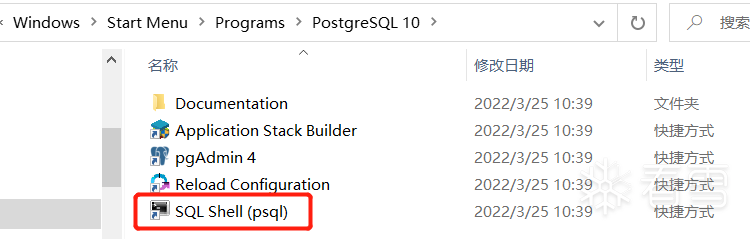
運行PostgreSQL 10的SQL Shell (psql),schema.sql復制到D盤,導入schema.sql,初始化數據庫。
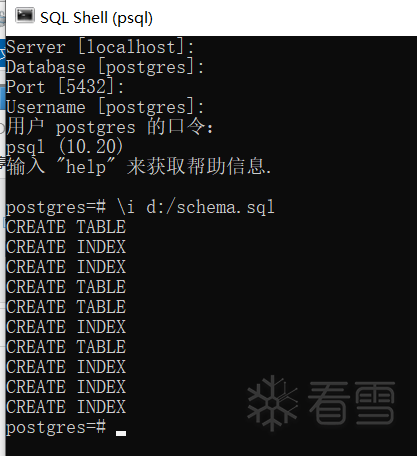
# 注意導入sql文件的路徑用/,不是\。
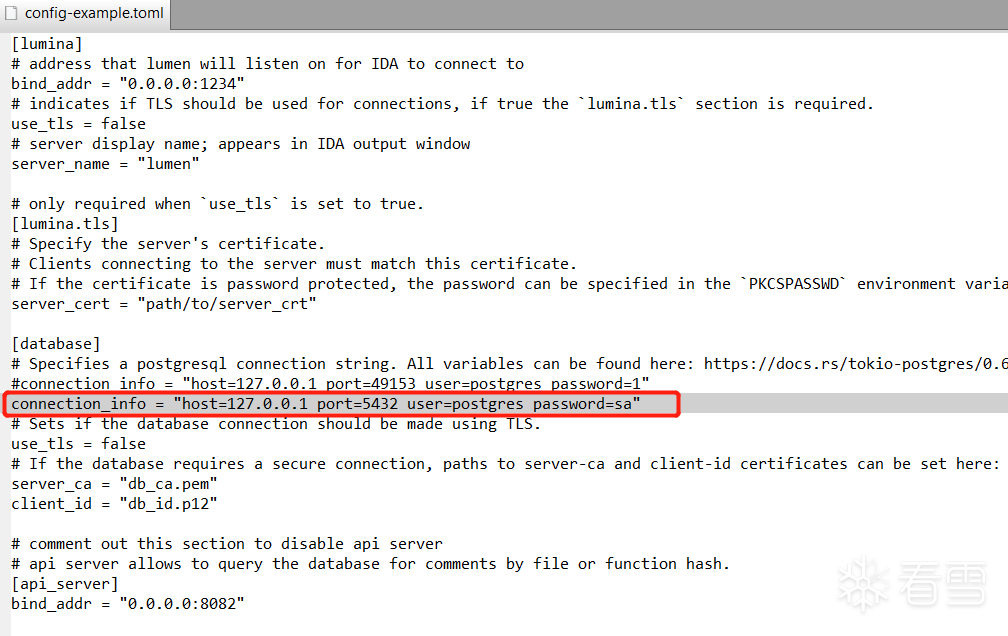
3、 解壓lumen-v0.1.0-x86_64-pc-windows-gnu.zip到任意目錄,修改config-example.toml中數據庫連接信息,填入正確的數據庫端口號5432和數據庫密碼。
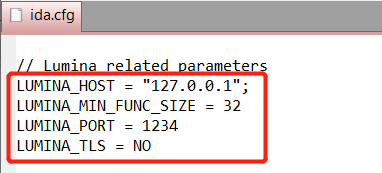
4、 修改IDA的ida.cfg,填入lumen服務器信息,lumen端口1234在上面config-example.toml中配置的。
5、 運行lumen服務器,可創建一個批處理來運行。
啟動lumen.cmd
@echo offlumen -c config-example.toml
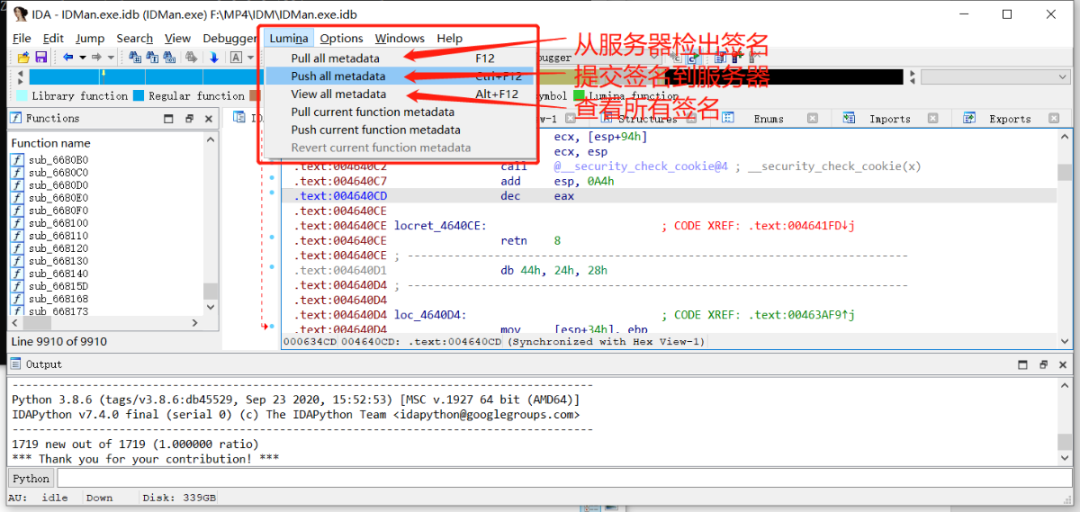
6、 運行IDA,開始分析程序,通過菜單lumen提交簽名或者檢出簽名。
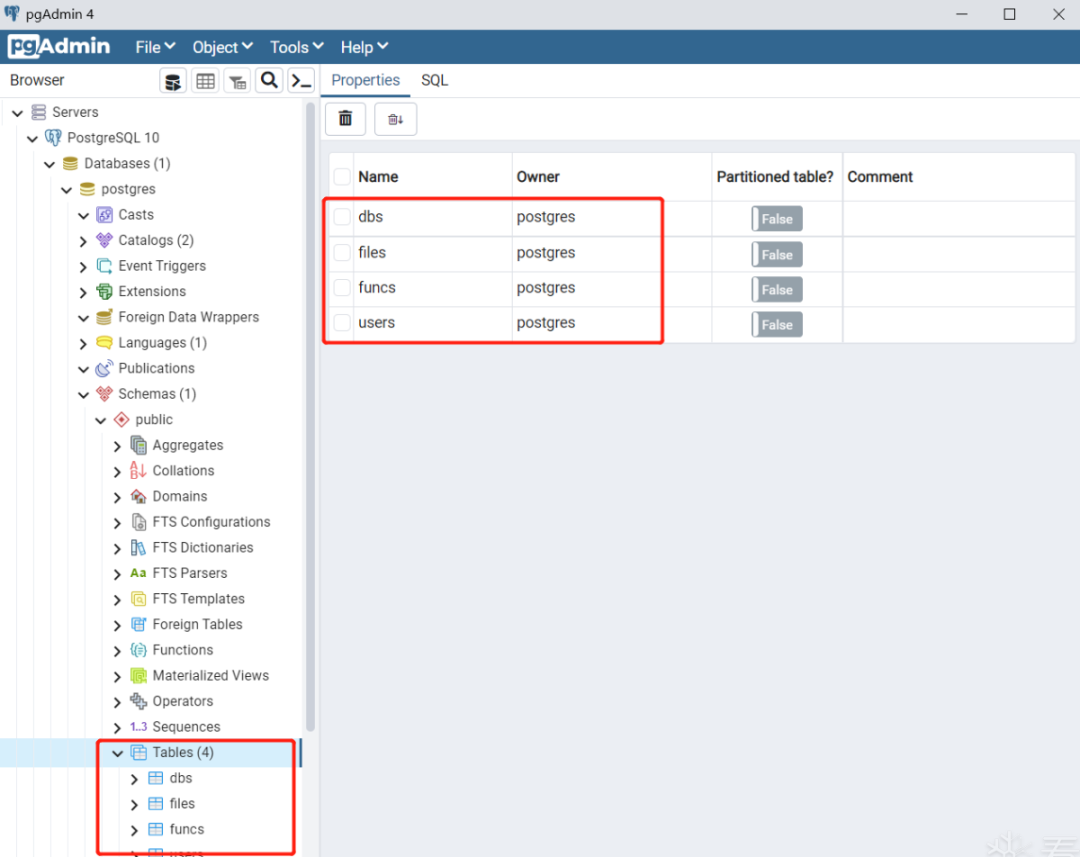
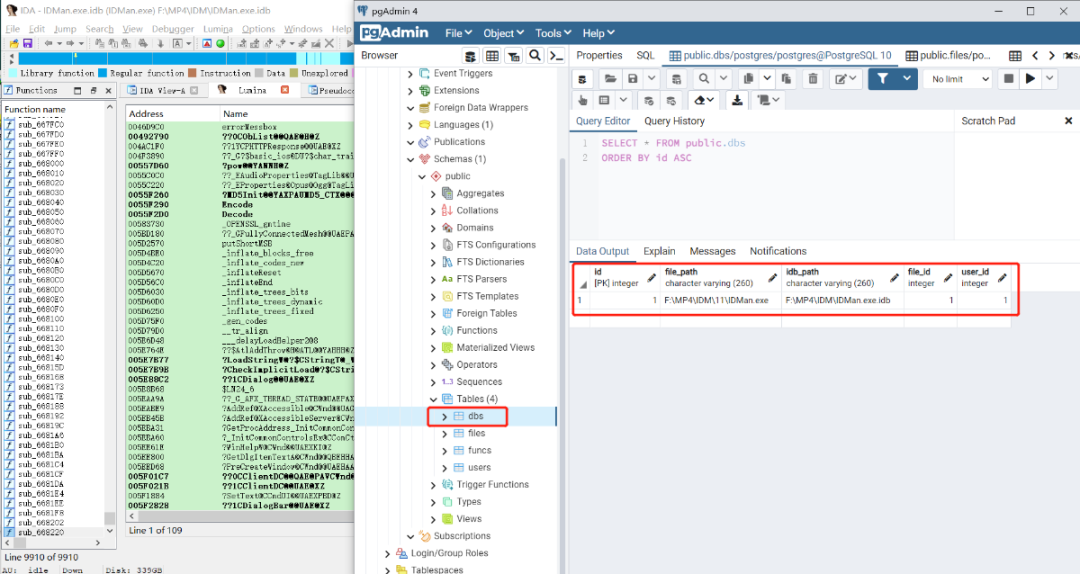
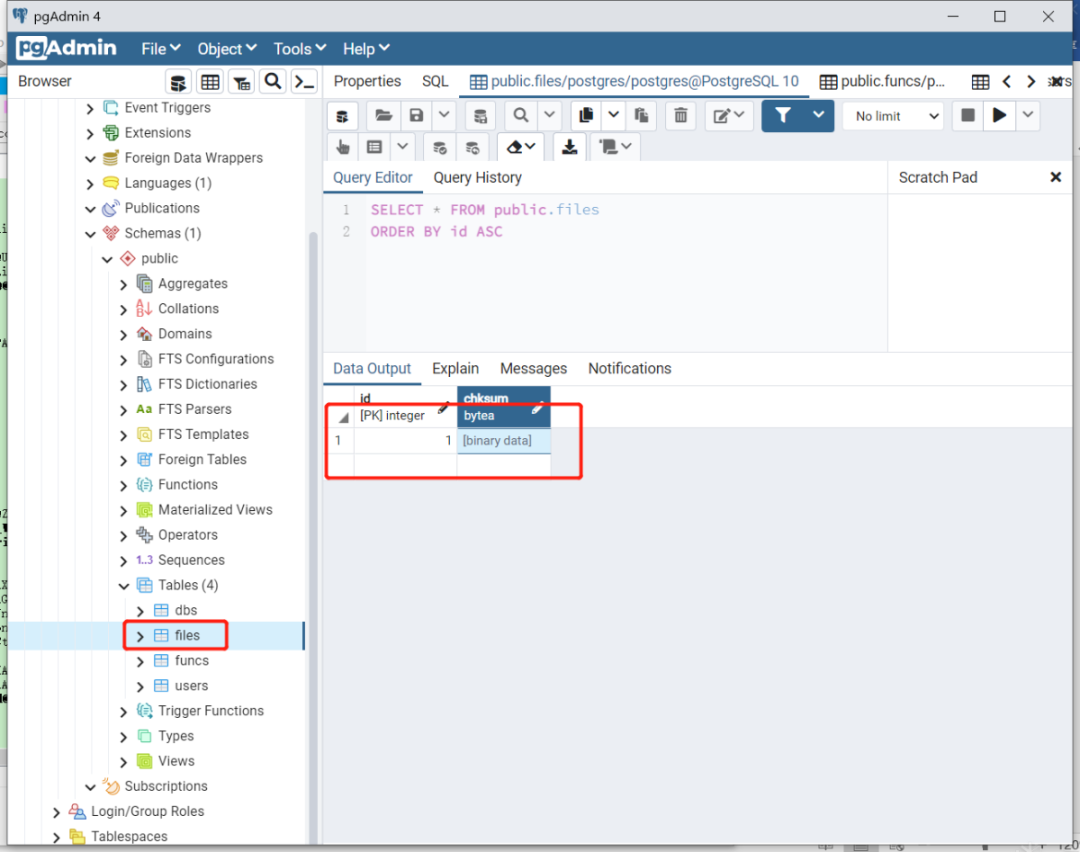
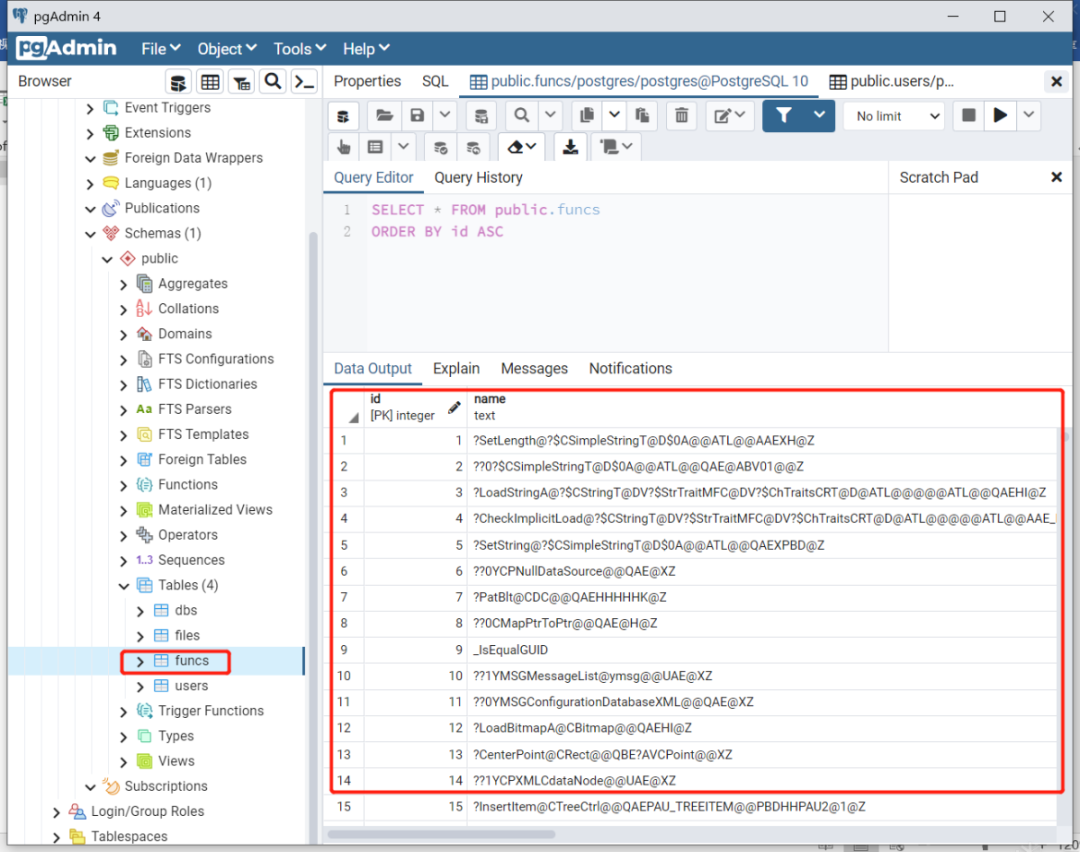
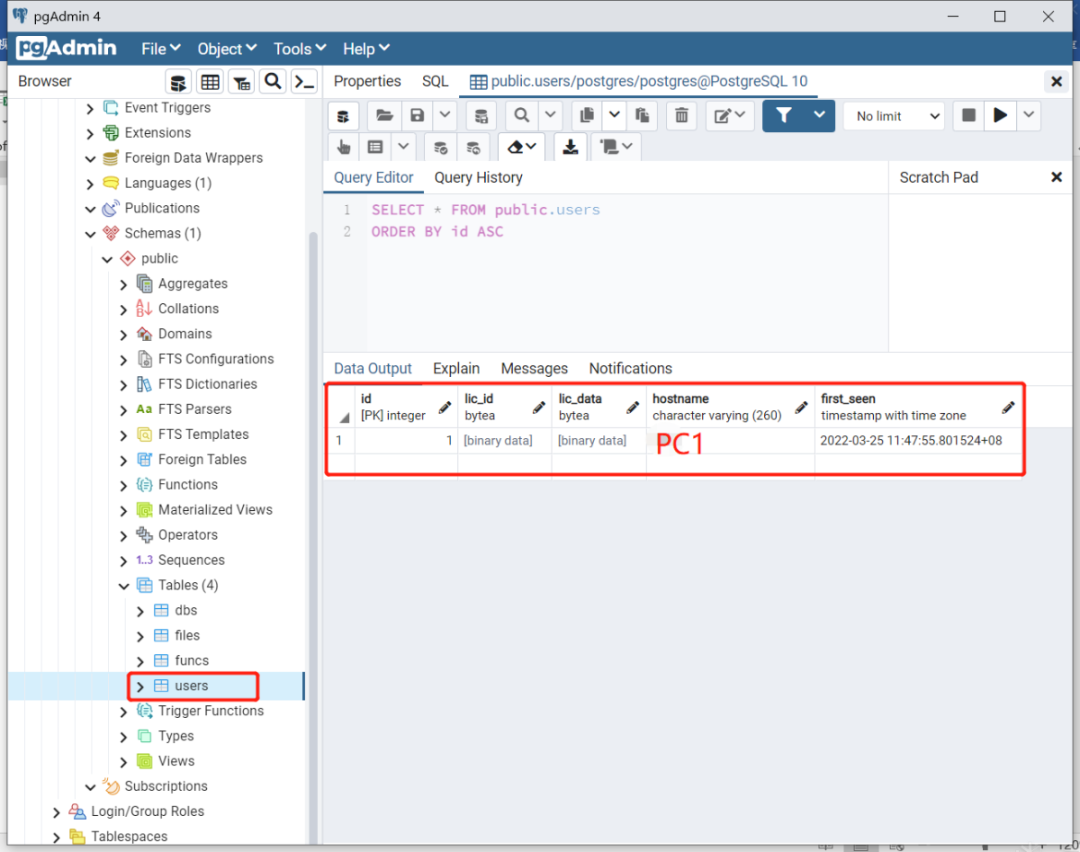
配合PostgreSQL 10的pgAdmin查看數據庫存放了啥數據。
dbs表:
file表:
funcs表:
users表:
7、 需要配置證書的,可參考文檔README.md,用openssl生成證書。
8、 更多資料請查看:
官網 https://abda.nl/lumen/
源碼 https://github.com/naim94a/lumen
