 Java Web安全
BinCat V2 - 簡單解析請求參數
BinCat V2 - 簡單解析請求參數
V2版本我們需要支持請求參數解析以及簡單的HTML頁面渲染功能。
BinCatServerV2實現代碼:
package com.anbai.sec.server;

import java.io.*;
import java.net.ServerSocket;
import java.net.Socket;
import java.net.URLDecoder;
import java.util.Map;
import java.util.concurrent.ConcurrentHashMap;
import java.util.logging.Logger;

/**
 * ServerSocket Http 服務器示例
 */
public class BinCatServerV2 {

    private static final Logger LOG = Logger.getLogger("info");

    public static void main(String[] args) {
        try {
            // 設置服務監聽端口
            int port = 8080;

            // 設置服務名稱
            String serverName = "BinCat-0.0.2";

            // 創建ServerSocket,監聽本地端口
            ServerSocket ss = new ServerSocket(port);

            LOG.info(serverName + " 啟動成功,監聽端口: " + port);

            while (true) {
                // 等待客戶端連接
                Socket socket = ss.accept();

                try {
                    // 獲取Socket輸入流對象
                    InputStream in = socket.getInputStream();

                    // 獲取Socket輸出流對象
                    OutputStream out = socket.getOutputStream();

                    // 創建數據輸出流對象
                    DataInputStream dis = new DataInputStream(in);

                    // 從Socket中讀取一行數據,讀取請求的URL
                    String str = dis.readLine();

                    if (str == null) {
                        socket.close();
                        continue;
                    }

                    // 切割請求Http協議信息
                    String[] strs = str.split("\\s+");

                    // 解析Http請求方法類型
                    String method = strs[0];

                    // 解析Http請求URL地址
                    String url = strs[1];

                    // 初始化Http請求URL地址
                    String requestURL = url;

                    // 初始化Http請求的QueryString
                    String queryString;

                    // 解析Http請求版本信息
                    String httpVersion = strs[2];

                    // 創建Header對象
                    Map<String, String> header = new ConcurrentHashMap<String, String>();

                    // 初始化請求參數數組
                    Map<String, String> parameterMap = new ConcurrentHashMap<String, String>();

                    // 解析GET請求參數
                    if (url.contains("?")) {
                        String[] parameterStrs = url.split("\\?");
                        requestURL = parameterStrs[0];
                        queryString = parameterStrs[1];

                        // 按"&"切割GET請求的參數
                        String[] parameters = queryString.split("&");

                        // 解析GET請求參數
                        for (String parameter : parameters) {
                            String[] tmp = parameter.split("=", -1);

                            if (tmp.length == 2) {
                                parameterMap.put(tmp[0], URLDecoder.decode(tmp[1]));
                            }
                        }
                    }

                    // 解析請求頭信息
                    while (true) {
                        // 按行讀取Header頭信息
                        String line = dis.readLine();

                        // 當讀取到空行時停止解析Header
                        if ("".equals(line)) {
                            break;
                        }

                        // 切割Header的Key/Value
                        String[] headers = line.split(":\\s*", -1);

                        header.put(headers[0], headers[1]);
                    }

                    // 輸出服務器返回信息
                    StringBuffer msg = new StringBuffer();

                    // 處理Http請求,當瀏覽器請求主頁時返回服務器信息
                    if ("/".equals(requestURL)) {
                        out.write("HTTP/1.1 200 OK\n".getBytes());

                        // 根據Http請求類型處理不同的請求
                        if ("GET".equalsIgnoreCase(method)) {
                            // 輸出服務器處理結果
                            msg.append("<html>\n" +
                                    "<head>\n" +
                                    "    <title>Login Test</title>\n" +
                                    "</head>\n" +
                                    "<body>\n" +
                                    "<div style=\"margin: 30px;\">\n" +
                                    "    <form action=\"/\" method=\"POST\">\n" +
                                    "        Username:<input type=\"text\" name=\"username\" value=\"admin\"/><br/>\n" +
                                    "        Password:<input type=\"text\" name=\"password\" value=\"'=0#\"/><br/>\n" +
                                    "        <input type=\"submit\" value=\"Login\"/>\n" +
                                    "    </form>\n" +
                                    "</div>\n" +
                                    "</body>\n" +
                                    "</html>");
                        } else if ("POST".equalsIgnoreCase(method)) {
                            String contentType = header.get("Content-Type");

                            // 解析POST請求參數
                            if ("application/x-www-form-urlencoded".equalsIgnoreCase(contentType)) {
                                // 獲取請求的主體長度
                                int contentLength = Integer.parseInt(header.get("Content-Length"));

                                // 創建一個和請求體一樣大小的緩沖區
                                byte[] bytes = new byte[contentLength];

                                // 讀取POST主體內容
                                dis.read(bytes);

                                // 解析POST請求內容
                                String body = new String(bytes, "ISO8859-1");

                                // 按"&"切割POST請求的參數
                                String[] parameters = body.split("&");

                                // 解析POST請求參數
                                for (String parameter : parameters) {
                                    String[] tmp = parameter.split("=", -1);

                                    if (tmp.length == 2) {
                                        parameterMap.put(tmp[0], URLDecoder.decode(tmp[1]));
                                    }
                                }

                                // 定義SQL語句
                                String sql = "select id,username,password from sys_user where username = '" +
                                        parameterMap.get("username") + "' and password = '" +
                                        parameterMap.get("password") + "'";

                                msg.append("<font color='red'>JDBC 查詢SQL:" + sql + "</font>\n");
                                msg.append("<h3>請求頭:</h3>\n");
                                msg.append("<pre>\n");

                                for (String key : header.keySet()) {
                                    msg.append(key + ": " + header.get(key) + "\n");
                                }

                                msg.append("<pre>\n");
                                msg.append("<h3>請求參數:</h3>\n");

                                // 循環遍歷請求參數
                                for (String key : parameterMap.keySet()) {
                                    msg.append(key + ": " + parameterMap.get(key) + "\n");
                                }
                            }
                        }
                    } else {
                        out.write("HTTP/1.1 404 Not Found\n".getBytes());

                        // 輸出錯誤信息
                        msg.append("404");
                    }

                    // 輸出Web服務器信息
                    out.write(("Server: " + serverName + "\n").getBytes());

                    // 輸出返回的消息類型
                    out.write(("Content-Type: text/html; charset=UTF-8\n").getBytes());

                    // 請求響應內容
                    byte[] responseByte = msg.toString().getBytes();

                    // 輸出返回字節數
                    out.write(("Content-Length: " + responseByte.length + "\n").getBytes());

                    // 寫入換行
                    out.write("\n".getBytes());

                    // 將讀取到的數據寫入到客戶端Socket
                    out.write(responseByte);

                    in.close();
                    out.close();
                } catch (IOException e) {
                    LOG.info("處理客戶端請求異常:" + e);
                } finally {
                    socket.close();
                }
            }
        } catch (IOException e) {
            e.printStackTrace();
        }
    }

}
請求參數解析測試
訪問Web服務測試http://localhost:8080:
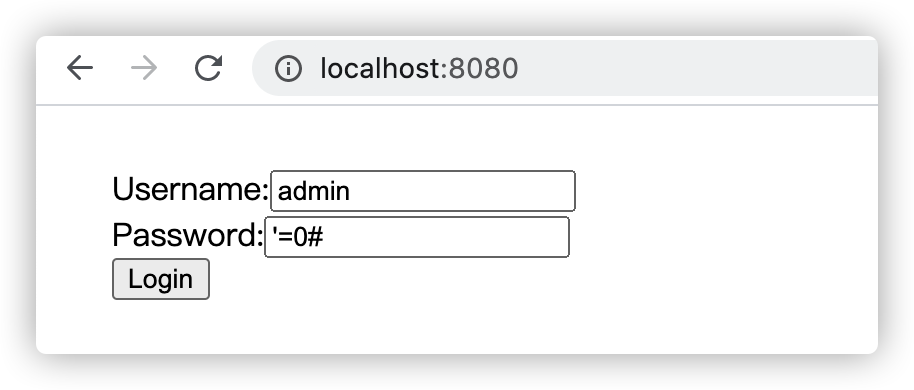
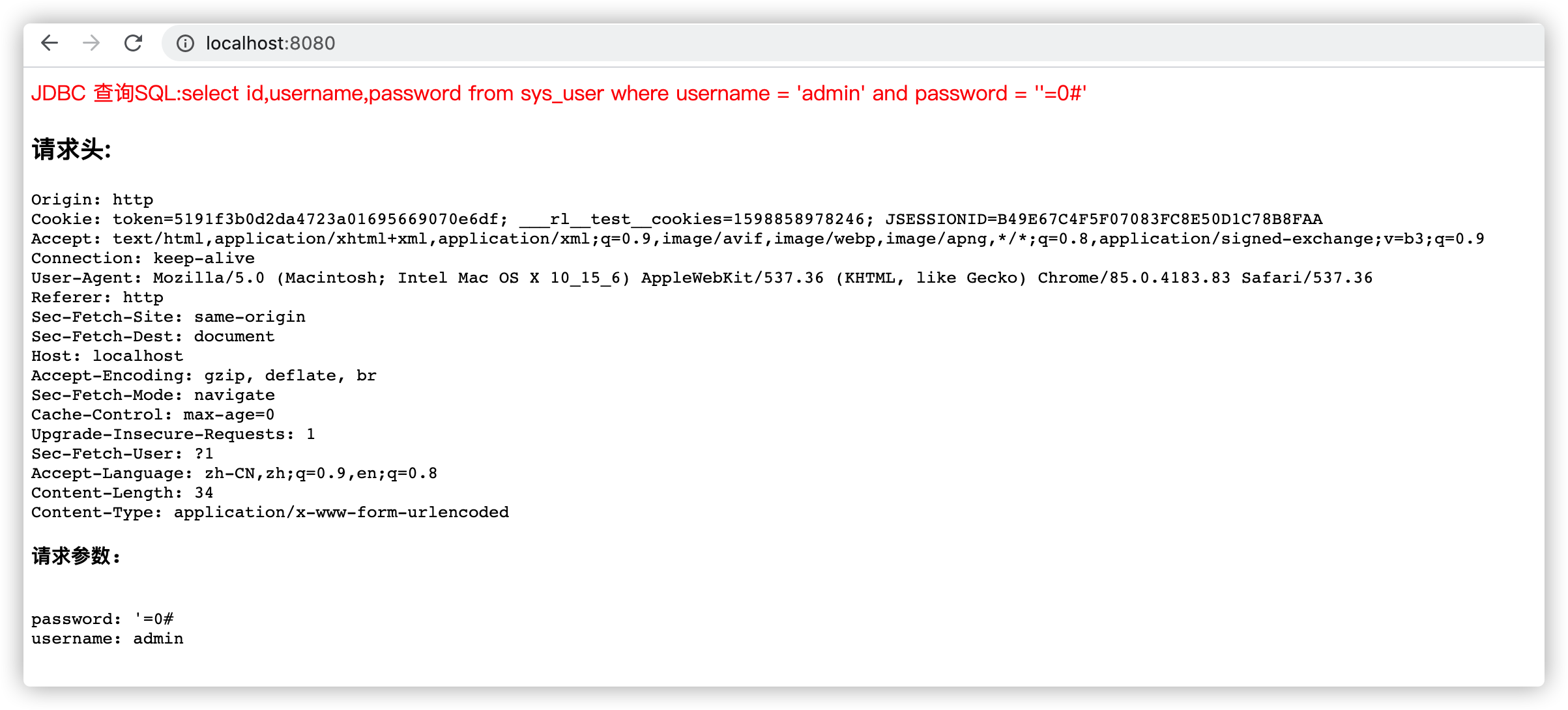
提交登陸表單測試:

推薦文章: