
Kubernetes基礎環境搭建
VSole2022-05-09 14:47:39
STATEMENT
聲明
由于傳播、利用此文所提供的信息而造成的任何直接或者間接的后果及損失,均由使用者本人負責,雷神眾測及文章作者不為此承擔任何責任。
雷神眾測擁有對此文章的修改和解釋權。如欲轉載或傳播此文章,必須保證此文章的完整性,包括版權聲明等全部內容。未經雷神眾測允許,不得任意修改或者增減此文章內容,不得以任何方式將其用于商業目的。
簡介
主要為master & node安裝
master:192.168.3.19
node1:192.168.3.20
node2:192.168.3.21
實際安裝
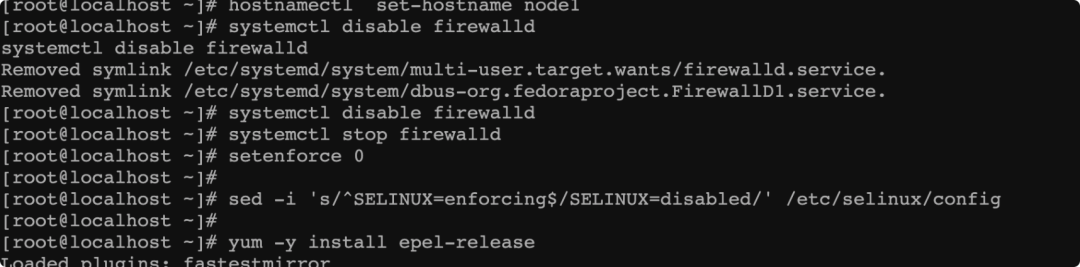
主從機都要安裝 epel-release源
yum -y install epel-release
設置hostname
hostnamectl set-hostname node1
關閉防火墻
systemctl stop firewalldsystemctl disable firewalldsetenforce 0sed -i 's/^SELINUX=enforcing$/SELINUX=disabled/' /etc/selinux/config
最后確認狀態
firewall-cmd --state
master配置
host配置
echo "192.168.3.19 master192.168.3.20 node1192.168.3.21 node2" >> /etc/hosts
node也要配下
服務安裝
安裝etcd、kubernetes-master
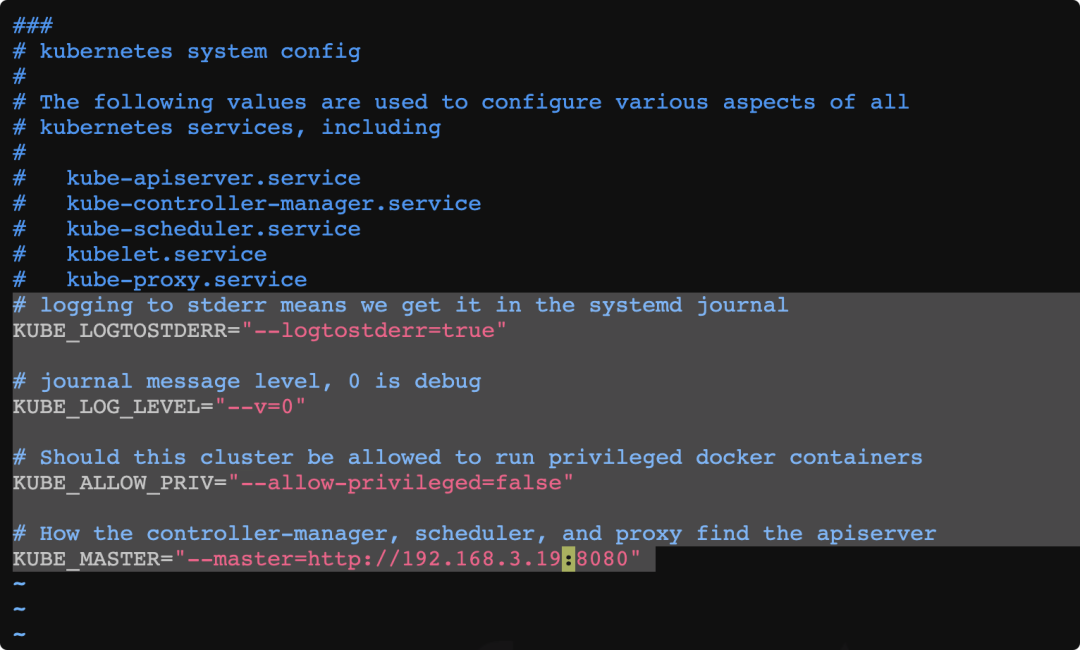
/etc/kubernetes/config kubernetest配置文件
# logging to stderr means we get it in the systemd journal 錯誤日志記錄到文件還是輸出到stderrKUBE_LOGTOSTDERR="--logtostderr=true"# journal message level, 0 is debug 日志等級KUBE_LOG_LEVEL="--v=0"# Should this cluster be allowed to run privileged docker containers 允許運行特權容器KUBE_ALLOW_PRIV="--allow-privileged=false"# How the controller-manager, scheduler, and proxy find the apiserver apiserver的服務地址controller-manager、scheduler及kubelet都會使用KUBE_MASTER="--master=http://192.168.3.19:8080"
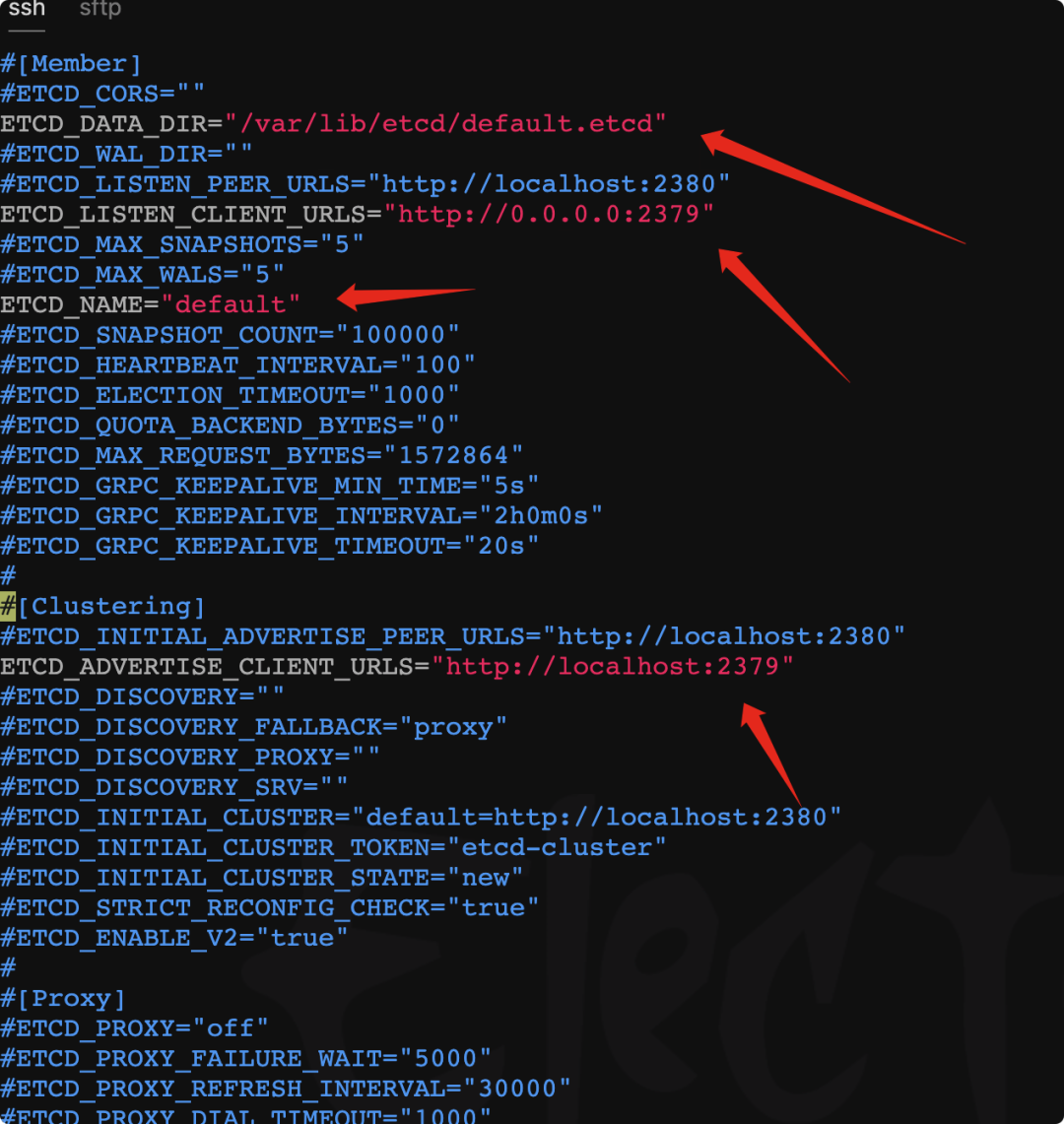
/etc/etcd/etcd.conf
# [Member]# ETCD_CORS=""# etcd數據存儲位置ETCD_DATA_DIR="/var/lib/etcd/default.etcd"# ETCD_WAL_DIR=""# ETCD_LISTEN_PEER_URLS="http://localhost:2380" 監聽的端口ETCD_LISTEN_CLIENT_URLS="http://0.0.0.0:2379"# ETCD_MAX_SNAPSHOTS="5"# ETCD_MAX_WALS="5"# etcd名稱ETCD_NAME="default"# ETCD_SNAPSHOT_COUNT="100000"# ETCD_HEARTBEAT_INTERVAL="100"# ETCD_ELECTION_TIMEOUT="1000"# ETCD_QUOTA_BACKEND_BYTES="0"# ETCD_MAX_REQUEST_BYTES="1572864"# ETCD_GRPC_KEEPALIVE_MIN_TIME="5s"# ETCD_GRPC_KEEPALIVE_INTERVAL="2h0m0s"# ETCD_GRPC_KEEPALIVE_TIMEOUT="20s"## [Clustering]# ETCD_INITIAL_ADVERTISE_PEER_URLS="http://localhost:2380" 集群監聽的端口ETCD_ADVERTISE_CLIENT_URLS="http://localhost:2379"
/etc/kubernetes/apiserver
#### kubernetes system config## The following values are used to configure the kube-apiserver## The address on the local server to listen to. 監聽的接口,如果是127則只監聽localhost,如果是0.0.0.0則監聽全部KUBE_API_ADDRESS="--insecure-bind-address=0.0.0.0"# The port on the local server to listen on. apiserver的監聽默認8080KUBE_API_PORT="--port=8080"# Port minions listen onKUBELET_PORT="--kubelet-port=10250" kubelet的監聽端口,默認10250# Comma separated list of nodes in the etcd cluster etcd服務地址,端口2379KUBE_ETCD_SERVERS="--etcd-servers=http://127.0.0.1:2379"# Address range to use for services kubernetes可分配的ip范圍,啟動一個pod及service就會分配一個ip地址,將按扎個范圍分配KUBE_SERVICE_ADDRESSES="--service-cluster-ip-range=10.254.0.0/16"# default admission control policies 集群額外配置項KUBE_ADMISSION_CONTROL="--admission-control=NamespaceLifecycle,NamespaceExists,LimitRanger,SecurityContextDeny,ResourceQuota"# Add your own!KUBE_API_ARGS=""
啟動服務,并設置自啟動
etcd、kube-apiserver、kube-controller-manager、kube-scheduler等for SERVICES in etcd kube-apiserver kube-controller-manager kube-scheduler; do systemctl restart $SERVICES;systemctl enable $SERVICES;systemctl status $SERVICES ; don
定義flannel網絡
etcdctl mk /atomic.io/network/config '{"Network":"172.17.0.0/16"}'
node配置
安裝kubernetes Node、flannel組件

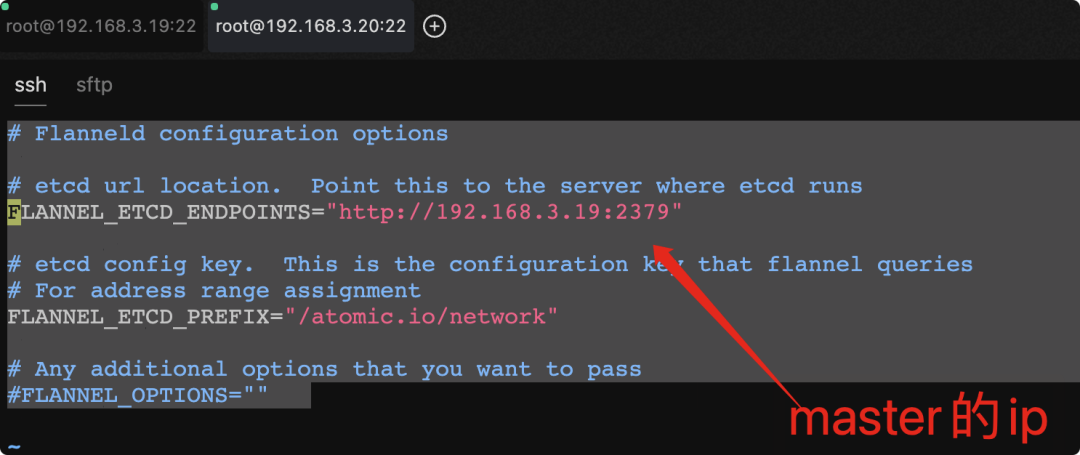
/etc/sysconfig/flanneld
為flannel網絡指定etcd服務
# Flanneld configuration options# etcd url location. Point this to the server where etcd runs etcd的地址和端口FLANNEL_ETCD_ENDPOINTS="http://192.168.3.19:2379"# etcd config key. This is the configuration key that flannel queries# For address range assignment 服務范圍FLANNEL_ETCD_PREFIX="/atomic.io/network"# Any additional options that you want to pass 其他# FLANNEL_OPTIONS="
/etc/kubernetes/config
#### kubernetes system config## The following values are used to configure various aspects of all# kubernetes services, including## kube-apiserver.service# kube-controller-manager.service# kube-scheduler.service# kubelet.service# kube-proxy.service# logging to stderr means we get it in the systemd journalKUBE_LOGTOSTDERR="--logtostderr=true"# journal message level, 0 is debugKUBE_LOG_LEVEL="--v=0"# Should this cluster be allowed to run privileged docker containersKUBE_ALLOW_PRIV="--allow-privileged=false"# How the controller-manager, scheduler, and proxy find the apiserverKUBE_MASTER="--master=http://192.168.3.19:8080

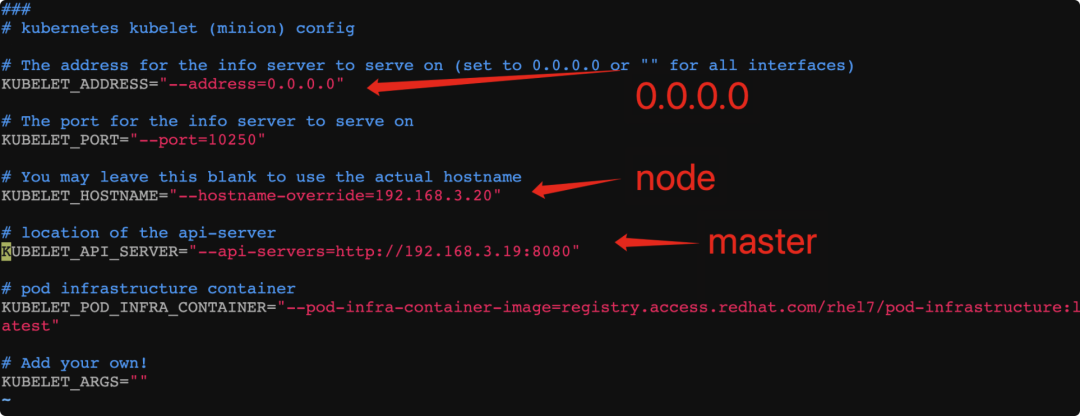
/etc/kubernetes/kubelet
修改node機器的kubelet配置文件
#### kubernetes kubelet (minion) config# The address for the info server to serve on (set to 0.0.0.0 or "" for all interfaces) minion監聽的地址KUBELET_ADDRESS="--address=0.0.0.0"# The port for the info server to serve on 監聽的端口KUBELET_PORT="--port=10250"# You may leave this blank to use the actual hostnameKUBELET_HOSTNAME="--hostname-override=192.168.3.20"# location of the api-server apiserverKUBELET_API_SERVER="--api-servers=http://192.168.3.19:8080"# pod infrastructure containerKUBELET_POD_INFRA_CONTAINER="--pod-infra-container-image=registry.access.redhat.com/rhel7/pod-infrastructure:latest"# Add your own!KUBELET_ARGS=""
啟動服務,并設置自啟動
kube-proxy,kubelet,docker,flanneld等for SERVICES in kube-proxy kubelet docker flanneld;do systemctl restart $SERVICES;systemctl enable $SERVICES;systemctl status $SERVICES; done
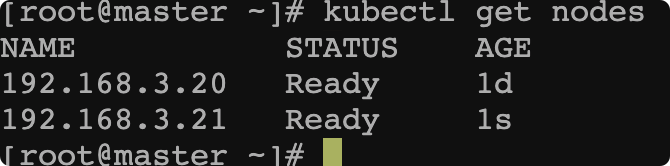
返回master查看配置成功

重復組建node2即可,效果如下

VSole
網絡安全專家